Best Place to Put a WiFi Extender
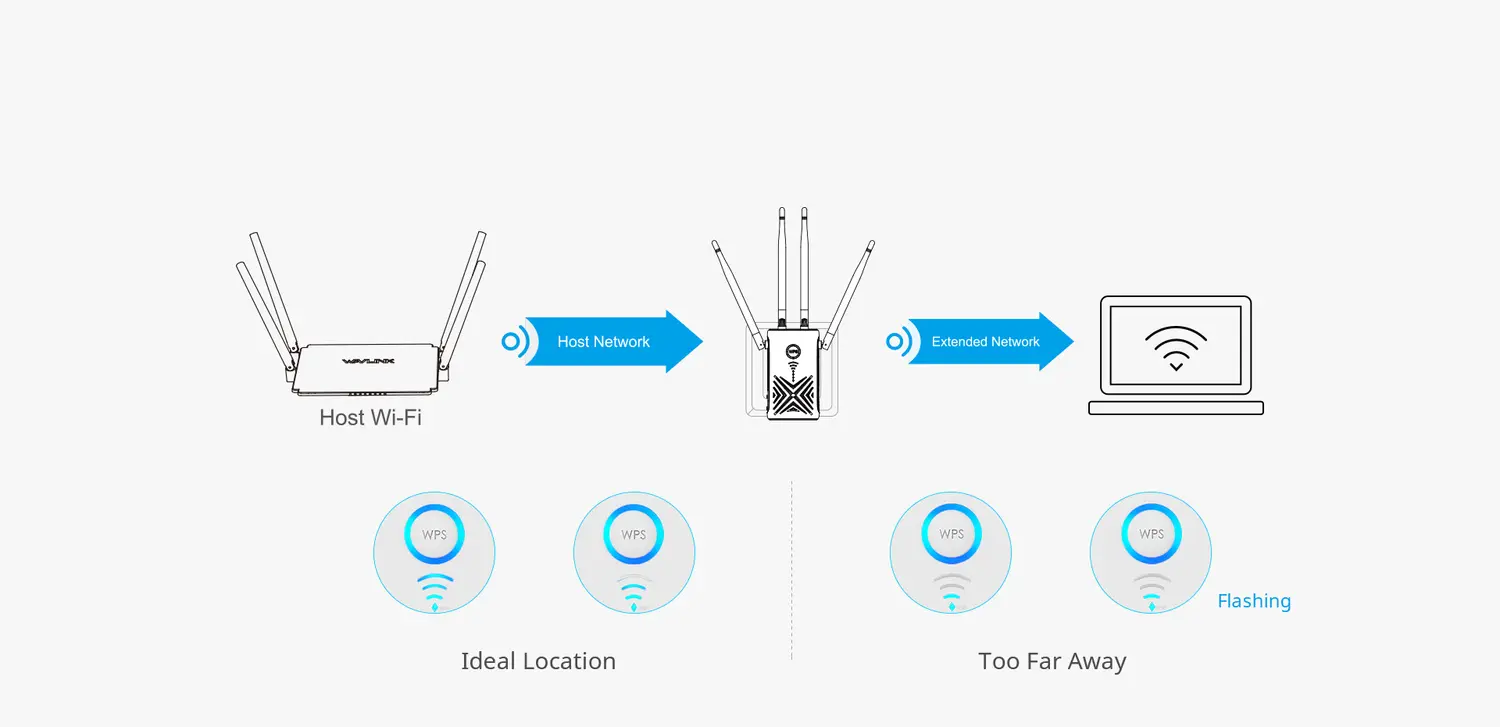
An extender should not sit inside the dead zone. It needs a reliable router signal to relay, while remaining close enough to improve the target room.
When working on best WiFi extender placement it is important to distinguish extender signal strength from WiFi dead zone. The sections below identify that difference before any reset or firmware change.
Start at the halfway principle
Place the extender roughly between the router and weak area, then adjust based on the link indicator and real testing. Hallways and open doorways often work better than corners or cupboards because fewer dense obstacles block the signal.
Account for building materials
Brick, concrete, foil-backed insulation, mirrors, metal cabinets and underfloor heating can absorb or reflect radio signals. Moving one outlet or changing height can be more effective than adding power. Keep the extender in the open.
Balance 2.4 GHz and 5 GHz
2.4 GHz normally travels farther but faces more congestion; 5 GHz offers more capacity at shorter range. A dual-band extender may use one band for the router link and another for clients. Placement must support the band used for the uplink.
Use practical performance tests
Test in the target room at the times when the network is normally busy. Check browsing, video calls and streaming rather than relying only on a speed test. Compare results connected to the router and the extender.
Handle multiple floors
Radio signals often travel diagonally better than straight through reinforced floors. Try an upstairs landing or stairwell outlet. Keep the extender away from large appliances and electrical distribution equipment.
Recognise when mesh is better
If several distant rooms or floors need coverage, repeated extenders may add congestion and complicated roaming. A coordinated mesh system or wired access point can provide more predictable performance.
Plan the rest of your coverage
Final placement checklist
Leave the extender powered in the proposed outlet long enough for the router-link indicator to settle. Test during a busy period, not only when the network is idle. Check a call, stream and ordinary browsing from the target room. Confirm the client is attached to the extender rather than the main router. Keep ventilation clear, secure loose antennas and avoid an extension lead hidden behind furniture. Recheck performance after closing doors because dense walls and metal-backed insulation can change the practical result.
Sources for placement and wireless-range decisions
This guide is based on current manufacturer login, product and troubleshooting information. Addresses, menus, LEDs and reset timing can vary by model, region, firmware and hardware revision.